

You’ve probably heard the buzz about AI agents — and honestly, the hype is real this time.
Not long ago, using AI meant opening a chatbot, typing a question, and reading a response. Useful, sure. But what’s happening right now is a whole different story. AI agents for productivity don’t just answer your questions — they do things for you. Book meetings. Write and send emails. Research topics, summarize findings, and drop them into a document. All while you focus on the work that actually needs your brain.
By 2026, agentic AI has moved from science fiction to your desktop. If you haven’t started exploring it yet, this guide is your friendly, no-jargon entry point. You’ll learn exactly how AI agents work, why they’re changing how we work, how to set them up step by step, and which tools are worth your time. Let’s get into it.
Table of Contents
- What Is an AI Agent, Exactly?
- Why AI Agents Are Changing the Way We Work
- How AI Agents Work: A Step-by-Step Breakdown
- Real-World Examples of AI Agents in Action
- Tips and Best Practices for Using AI Agents
- Best AI Agent Tools to Try Right Now
- Conclusion
- Frequently Asked Questions
What Is an AI Agent, Exactly?
Let’s start simple. An AI agent is a software program powered by a large language model (LLM) that can pursue a goal — not just respond to a single prompt.
Here’s the key difference. When you ask ChatGPT “write me a project brief,” it writes one. Done. One task, one output. An AI agent, on the other hand, can take a goal like “prepare a competitive analysis for my new product launch” and then break it into subtasks, search the web, gather data, organize findings, write the report, and save it to your folder — all on its own, without you prompting every step.
Think of it this way: a regular AI model is like a very smart employee who only works when you’re standing over their shoulder giving instructions. An AI agent is like that same employee, but they can take a brief in the morning and come back at 3pm with the finished work.
The term “agentic AI” or “autonomous AI” refers to this ability to plan, reason, take actions, and adapt — all in pursuit of an end goal you define. It connects to tools (like your calendar, browser, email, or documents), makes decisions about what to do next, and course-corrects when something doesn’t work.
You don’t need to be a developer to use most AI agents today. Many of the best tools are drag-and-drop, or require nothing more than a plain-English description of what you want.
Why AI Agents Are Changing the Way We Work
Here’s the honest truth: most of us spend huge chunks of our workday on tasks that don’t really need our full intelligence. Sorting emails. Scheduling meetings. Reformatting reports. Pulling data from one system and putting it in another. Research that takes an hour to do by hand.
These tasks aren’t hard. They’re just time-consuming. And that’s exactly what AI agents are built to eat up.
Companies that have deployed agentic AI are seeing real results. Enterprises using AI agents have reported productivity increases close to two-thirds of their workforce, with over half reporting cost savings and faster decision-making. One real-world example that makes this concrete: Danfoss, a global manufacturer, used AI agents to automate email-based order processing, handling around 80% of transactional decisions automatically and slashing average customer response time from 42 hours to near real-time.
For individuals, the shift is just as significant. Imagine starting your day with an AI agent that’s already reviewed your inbox, flagged the five emails that need your attention, drafted responses to the routine ones, blocked focus time on your calendar, and prepared a one-page summary of your weekly metrics. Before you’ve had your first coffee.
That’s not the future. That’s happening now — for people who’ve learned to set these tools up.
The deeper shift is this: AI agents move you from doing to directing. You become the strategic thinker and the human-in-the-loop quality check. The agent handles the execution. That’s a genuinely different relationship with technology than anything we’ve had before.
How AI Agents Work: A Step-by-Step Breakdown
Understanding the mechanics helps you use them better. Here’s a simplified breakdown of what happens when an AI agent is given a goal.
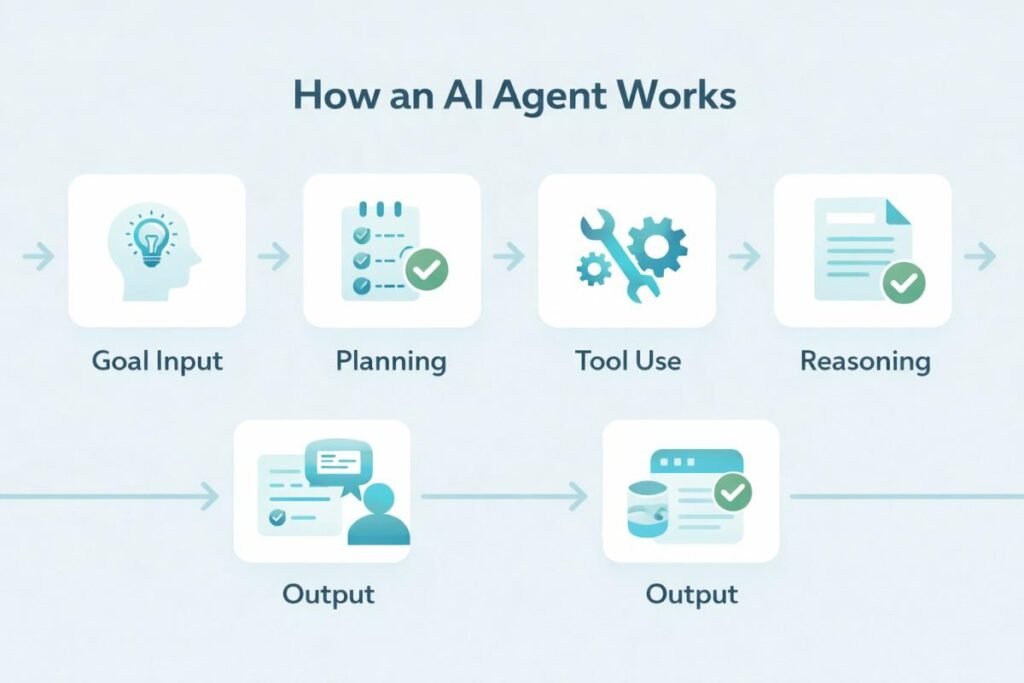
Step 1: Goal Interpretation
You give the agent a task or goal in plain language. Something like “research the top five competitors in my market and summarize their pricing and key features.” The agent parses this and identifies what it needs to do.
Step 2: Planning
The agent breaks the goal into subtasks. In this case: identify competitors, search for pricing pages, collect feature lists, compare them, write a summary. It maps out a sequence of actions before doing anything.
Step 3: Tool Use
This is where things get interesting. AI agents can connect to tools — web browsers, email clients, spreadsheets, calendars, databases, APIs, even other AI models. The agent searches the web, pulls relevant pages, and extracts information. It might call a search API, scrape structured data, or even open a browser window and navigate sites on its own.
Step 4: Reasoning & Adaptation
If something doesn’t work — a page won’t load, a data source is empty, an instruction is unclear — a good agent adapts. It tries a different approach, notes the issue, or flags it for you. This is the “reasoning” part of agentic AI.
Step 5: Output & Delivery
The agent compiles its findings and delivers the result in whatever format you asked for — a document, an email, a spreadsheet, a Slack message. Some agents store the result in connected apps automatically.
Step 6: Human Review
Most modern AI agent workflows keep a human in the loop at critical points. You review the output, approve or edit it, and then move on. The best setups make this review fast — a quick glance rather than a full rebuild.
The entire process that might have taken you two or three hours can be compressed to minutes, with you spending only a few moments reviewing and approving the output.
Real-World Examples of AI Agents in Action
Let’s make this tangible with real companies and tools doing this right now.
NVIDIA’s Agent Toolkit launched in early 2026 as an open platform specifically for building enterprise AI agents. It combines reasoning models (Nemotron), secure runtime environments (OpenShell), and pre-built agent blueprints that businesses can deploy without starting from scratch. Large enterprise software providers are already integrating it to automate complex workflows across industries.
Meta launched autonomous advertising agents inside Ads Manager that can run entire ad campaigns end-to-end — choosing audiences, setting bids, generating creative variations, and optimizing spend — all without manual input. For small business owners, this levels a playing field that was previously dominated by companies with big marketing teams.
Picsart rolled out an AI agent marketplace where creative professionals can deploy specialized assistants to resize content, remix visuals, edit product images, and optimize online store listings. Agents can analyze trends and recommend improvements with configurable autonomy levels.
On the personal productivity side, Anthropic’s Claude Cowork introduced Projects — a feature that lets you build a local AI agent workspace around your specific work context, with files and instructions saved on your device. It’s one of the most privacy-conscious ways to start working agentically.
The thread connecting all of these? People are shifting from typing prompts to supervising outcomes. The agent does the labor; you make the judgment calls.
Tips and Best Practices for Using AI Agents
Starting out with AI agents for productivity? Here’s what actually works.
Start with one narrow task. Don’t try to automate your entire work life on day one. Pick one repeating task that costs you 30–60 minutes a week — summarizing meeting notes, drafting weekly updates, or sorting incoming requests — and build an agent workflow around just that. Get it right before expanding.
Be specific with your goals. Agents perform better with precise instructions. “Summarize my emails” is weak. “Review my unread emails from the past 24 hours, identify anything requiring a response within today, and draft a two-sentence reply for each” is much stronger. Think of it as writing a brief for a new hire.
Always keep a human review step. AI agents can make mistakes — pulling outdated information, misunderstanding context, or missing nuance. Build a review checkpoint before anything important goes out or gets saved. Trust but verify.
Use tools that connect to the apps you already use. The best agent setups live inside your existing workflow. Look for tools that integrate with your email, calendar, and document apps natively, rather than forcing you to copy-paste between systems.
Protect sensitive data. Be thoughtful about what data you share with cloud-based agent tools. For sensitive work, prefer local or on-device options, or check that your tool has strong data privacy controls.
Best AI Agent Tools to Try Right Now
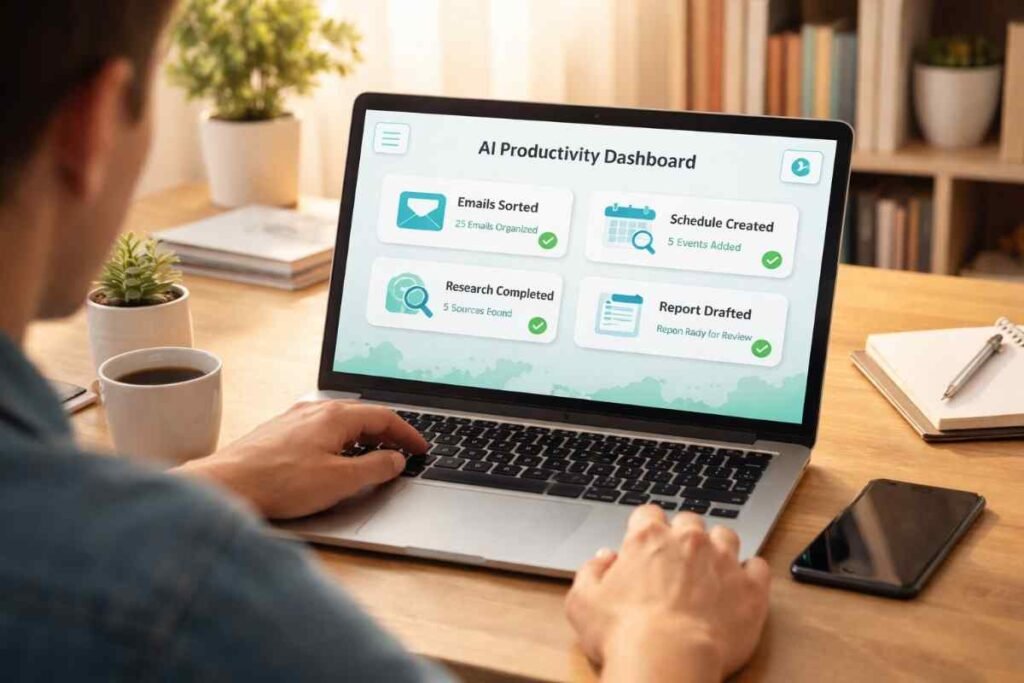
Here are five genuinely excellent tools for getting started with AI agents for productivity — ranging from beginner-friendly to developer-grade.
Claude (Anthropic) is one of the most capable and trust-focused AI assistants available today, and its agentic features — including Projects and computer use — make it an excellent starting point. It’s particularly strong for research, writing workflows, and multi-step reasoning. You can try Claude free at claude.ai, with paid plans unlocking full agentic capabilities.
ChatGPT (OpenAI) with its latest GPT-5.4 backbone now supports long-context agentic conversations, tool use, and integrations with third-party apps. It’s the most widely used AI platform globally, and its operator ecosystem means thousands of apps already plug into it. Explore it at chatgpt.com.
Zapier AI connects 7,000+ apps and lets you build no-code AI agent workflows triggered by real-world events — like a new email, a calendar entry, or a form submission. If you want AI automation across your existing tech stack without writing code, Zapier is where many people start. There’s a free tier available to explore basic workflows at zapier.com.
Make.com (formerly Integromat) is a visual automation platform with powerful AI node capabilities. More flexible than Zapier for complex multi-step flows, and a favourite of power users building sophisticated agent pipelines. You can try it free at make.com.
NVIDIA Agent Toolkit is the enterprise-grade option — aimed at developers and IT teams building custom agent systems at scale. It’s open-source and designed for businesses that want full control over their agent architecture. Worth exploring at developer.nvidia.com if you’re building for an organization.
Conclusion
AI agents for productivity represent the most significant shift in how we work since the introduction of the smartphone. They’re not just tools — they’re a new way of organizing and executing work itself.
The good news is that you don’t need a computer science degree or a big budget to get started. You need curiosity, a clear task in mind, and about 30 minutes to explore one of the tools above.
Start small. Pick one repetitive task. Build a simple agent workflow around it. Notice the time you get back. Then expand from there.
The professionals who figure this out now will have a genuine, compounding advantage over the next five years. That could be you. Give one of these tools a try this week and see what changes.
Got questions or a workflow you’d love to automate? Drop them in the comments — let’s figure it out together.
Frequently Asked Questions
Q: What is an AI agent in simple terms? A: An AI agent is a program that can take a goal you describe in plain language, break it into steps, use tools like web browsers and email, and complete the work on its own — rather than just answering a single question. It’s more like a capable assistant than a chatbot.
Q: Do I need coding skills to use AI agents? A: Not for most tools. Platforms like Claude, ChatGPT, Zapier AI, and Make.com are designed for non-technical users. You describe what you want in plain English, and the agent handles the rest. Coding helps if you want to build custom agents, but it’s absolutely not required to get started.
Q: Are AI agents safe to use for work tasks? A: Generally yes, with some common-sense precautions. Avoid sharing highly sensitive personal data (passwords, confidential client info) with cloud-based tools unless you’ve reviewed their privacy policies. Most reputable platforms like Anthropic, OpenAI, and Zapier have strong data protection policies. On-device options like Claude Cowork offer extra privacy for sensitive workflows.
Q: How are AI agents different from regular chatbots? A: A chatbot responds to one message at a time and has no memory of context between sessions. An AI agent can pursue a multi-step goal, use external tools, adapt when something goes wrong, maintain context across a workflow, and deliver a final output — not just a text response.
Q: What tasks are AI agents best at automating? A: Research and summarization, email drafting and triage, scheduling and calendar management, data collection and reporting, content repurposing, social media scheduling, customer service responses, and multi-step document creation are all areas where agents shine today.
Q: Will AI agents replace my job? A: Current evidence suggests AI agents are augmenting most workers rather than replacing them — especially experienced professionals. What they do replace are specific tasks, not entire roles. Workers who learn to direct AI agents effectively become significantly more productive, which tends to make them more valuable, not less.
Q: How much do AI agent tools cost? A: Most major platforms have free tiers. Claude and ChatGPT offer free access with paid plans starting around $20/month for enhanced capabilities. Zapier’s free plan covers basic workflows, with paid plans from around $19.99/month. Make.com starts free and scales up. Enterprise platforms vary widely.
Q: What’s the best AI agent tool for a complete beginner? A: Claude or ChatGPT are the most beginner-friendly entry points — just describe a task in plain language and see what happens. Once you’re comfortable, Zapier AI is the easiest way to start building automated workflows across your apps without any coding.
Related Posts:
Top 10 Free AI Tools Everyone Should Use
Vibe coding explained: Beginners guide
Digital Siege: How to Survive in a Total Internet Outage During Global Conflict