
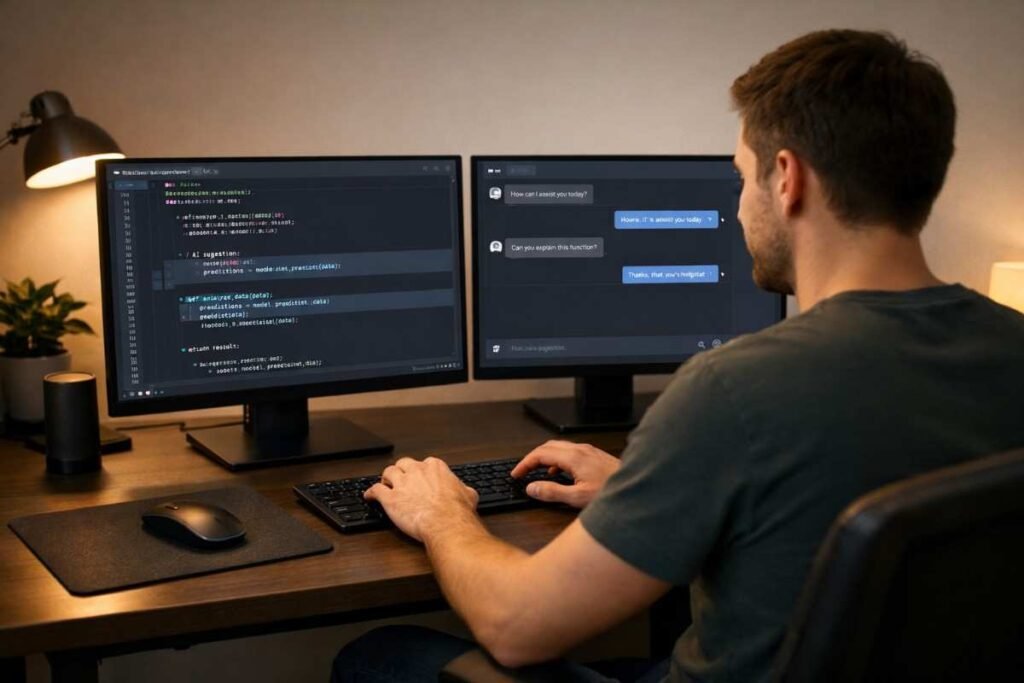
You sit down, describe what you want to build in plain English, and watch the code appear. No Stack Overflow rabbit holes. No syntax memorization. No copy-pasting from tutorials at midnight. Just you, your idea, and an AI that turns your intent into working software.
That’s vibe coding — and it’s completely changing who gets to build software in 2026.
In 2026, 92% of US developers now use AI coding tools every single day. A staggering 41% of all new code written globally is now AI-generated, and startups are shipping minimum viable products in days, not months.
Whether you’re a developer wanting to dramatically increase your output, an entrepreneur with an app idea and no technical co-founder, or simply a curious person watching this revolution unfold from the sidelines — this guide is for you. We’ll break down exactly what vibe coding is, how it works, what risks to watch for, and how you can start using it today.
Table of Contents
- What Is Vibe Coding?
- Why Vibe Coding Is Changing Software Development
- How Vibe Coding Works: Step-by-Step
- Real-World Examples of Vibe Coding in Action
- Vibe Coding Tips, Best Practices, and Common Mistakes
- Best Vibe Coding Tools in 2026
- Frequently Asked Questions
What Is Vibe Coding?
Vibe coding is a style of software development where you describe what you want to build in natural language — through conversation — and an AI assistant writes most or all of the code for you. Instead of manually writing every function, loop, and variable, you act more like a director: you set the vision, give clear instructions, and review what the AI produces.
The term was popularized by AI researcher Andrej Karpathy in early 2025 and quickly took on a life of its own. Collins Dictionary named it their Word of the Year for 2025 — a sign of just how mainstream this concept had become in a remarkably short time.
The core idea is that you’re no longer constrained by your technical knowledge of syntax. What you need instead is the ability to communicate clearly, think logically about what a system should do, and review AI output with a critical eye.
Now, it’s worth being honest: vibe coding is not magic, and it isn’t for everyone in every context. The “vibe” in the name captures the flow state it creates — that feeling of moving fast, iterating quickly, and solving problems in a way that feels almost conversational. But the best vibe coders still bring real technical judgment to the table.
You don’t need to memorize every Python method, but you do need to know when the AI has made a mistake. Think of it like working with a brilliant but overconfident intern — they produce great output fast, but they need a thoughtful person reviewing their work before anything ships.
Why Vibe Coding Is Changing Software Development
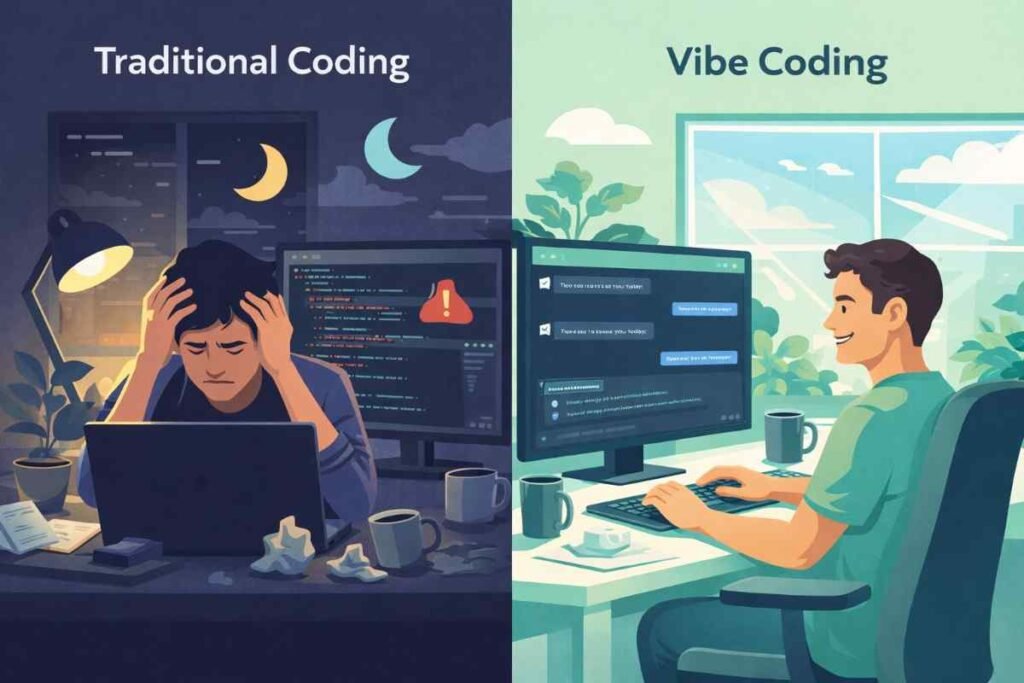
Software development used to have a massive gatekeeping mechanism: you needed years of experience before you could build anything meaningful on your own. Vibe coding is dismantling that barrier faster than anyone anticipated.
Building a web app that would have taken a seasoned developer two to three weeks can now be prototyped in a couple of days by someone with basic coding knowledge and good communication skills. Startups from Y Combinator’s Winter 2025 cohort reported codebases that were 91% AI-generated — that’s not a rounding error, that’s a fundamental restructuring of how new software companies are built.
For individual contributors at larger companies, the impact is just as dramatic. A single developer who masters AI-assisted workflows can punch well above their weight, taking on projects that would previously have required an entire team. 74% of developers report meaningful productivity gains when using vibe coding approaches consistently.
But the revolution isn’t without friction. AI-generated code has real risks: one analysis found it contains roughly 2.74 times more security vulnerabilities than human-written code. “Comprehension debt” — where developers ship code they don’t fully understand — is becoming a genuine challenge for engineering teams across the industry.
This is exactly why understanding both the power and the limits of vibe coding is so important before you dive in. The developers who get the most out of it aren’t the ones who trust the AI blindly — they’re the ones who know when to lean on it and when to take back control.
How Vibe Coding Works: Step-by-Step
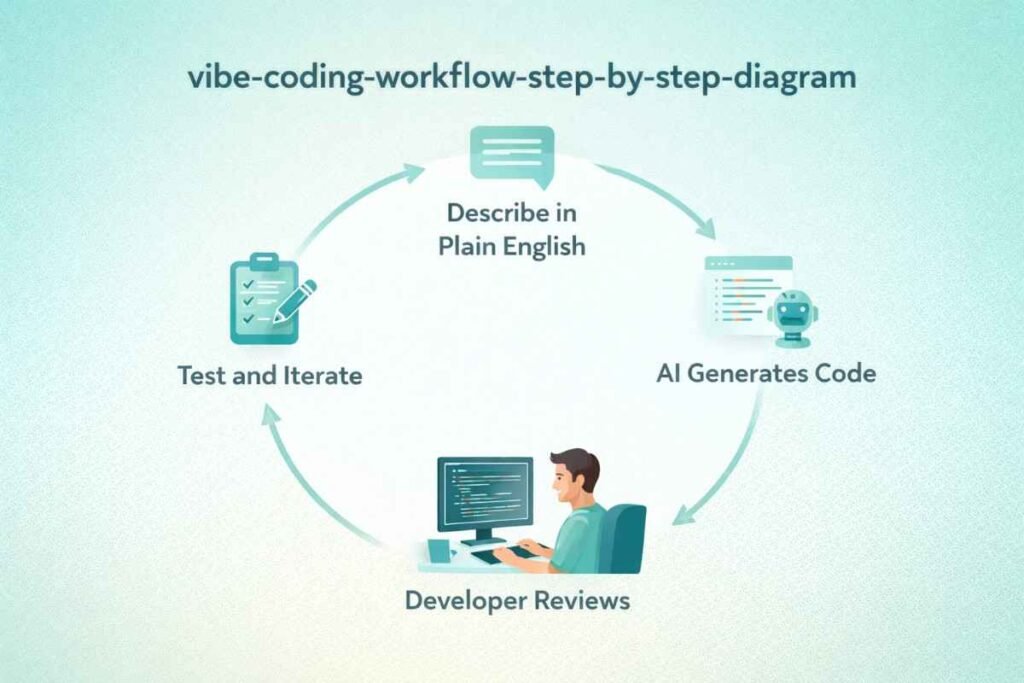
Vibe coding isn’t one specific tool or technique — it’s a workflow. The tools change, the languages change, the projects change, but the underlying process stays remarkably consistent. Here’s how it works in practice.
Step 1: Choose Your AI Coding Environment
The first step is picking where you’ll code with AI assistance. In 2026, the main options are AI-powered code editors like Cursor or Windsurf, browser-based tools like Replit, agentic CLI tools like Claude Code, and AI assistants built into standard IDEs via plugins like GitHub Copilot inside VS Code. Each has different strengths, which we’ll cover in detail in the tools section below.
Step 2: Describe What You Want to Build
This is the core skill of vibe coding — writing clear, specific prompts. The more context you give, the better the output. Instead of typing “build me a login page,” try: “Build a login page using React and Tailwind CSS. It should have email and password fields, a ‘remember me’ checkbox, and a button that calls our existing /auth/login API endpoint. Handle loading states and show an error message below the form if authentication fails.”
Specificity is everything here. Constraints help enormously. The difference between a vague prompt and a detailed one is often the difference between output you can use immediately and output that needs significant rework.
Step 3: Review, Test, and Iterate
Never ship AI-generated code you haven’t read and understood — at least at a functional level. Run the code, test edge cases, ask the AI to explain anything confusing, and then iterate. The real workflow of vibe coding is a tight loop of prompting, reviewing, testing, and refining — not “AI writes it once and you’re done.”
The best vibe coding sessions look more like a collaborative back-and-forth where you’re steering the AI toward the right solution, catching mistakes along the way, and gradually building something you’re fully confident in.
Step 4: Know When to Take the Wheel
For routine scaffolding, UI components, boilerplate, and well-defined logic, AI is excellent. For security-sensitive code, complex business logic, performance-critical paths, or anything involving compliance requirements — add extra scrutiny and often write those parts yourself.
The skill of knowing when to trust the AI and when to override it is what separates a confident vibe coder from someone who ships bugs they don’t understand. This judgment improves quickly with practice.
Real-World Examples of Vibe Coding in Action
The most inspiring proof points for vibe coding are happening right now, across every type of project and every level of developer experience.
Linus Torvalds — the creator of Linux — used Google’s Antigravity AI tool to vibe code a Python visualizer component for his AudioNoise project in early 2026. He openly noted in the README that “the Python visualizer tool has been basically written by vibe-coding.” If the person who created Linux is using AI-assisted coding to ship faster, that tells you something significant about where the entire industry is heading.
On the startup side, Y Combinator founders are launching products faster than ever before. One common playbook: describe the app in plain language to Claude Code or Cursor, get a working prototype in hours, do a proper security audit before going live, and launch within a week. What used to require $200,000 in engineering salaries for a six-month build can now be validated as a concept for a fraction of the cost.
For solo developers and freelancers, vibe coding is a genuine force multiplier. A single developer who previously managed three or four client projects simultaneously can now handle eight or ten, using AI to handle repetitive scaffolding while they focus on architecture decisions, client communication, and quality control.
In enterprise settings, the picture is more nuanced. 87% of Fortune 500 companies have adopted at least one vibe coding platform, but adoption in regulated industries like healthcare (28%) and finance (34%) is much lower. These sectors are still working through the governance, compliance, and auditability questions around AI-generated code — which is entirely sensible when code powers medical devices or financial transactions.
Vibe Coding Tips, Best Practices, and Common Mistakes
Do provide rich context in your prompts. The more your AI understands about the system, the constraints, and the user, the better the output will be. Include the tech stack, mention relevant existing patterns in your codebase, and describe what success looks like before you ask for code.
Do review every piece of code before shipping it. Understanding what the code does at a functional level is non-negotiable in professional settings. You don’t need to trace every single line, but you should be able to explain what each major block does and why it’s there.
Do use AI to learn actively. When the AI produces something you don’t understand, ask it to explain its reasoning. Ask why it made a particular choice, or what an alternative approach would look like. This turns vibe coding sessions into learning sessions and is one of the fastest ways to level up your technical skills.
Don’t use vibe coding for security-critical code without rigorous review. AI-generated authentication, encryption, and data handling code needs human expert scrutiny every time, without exception. One subtle bug in an authentication flow can expose your entire user base to serious risk.
Don’t let vibe coding become a crutch for avoiding fundamentals. Developers who understand their craft deeply are far better at prompting AI effectively, catching mistakes, and debugging what goes wrong. The best vibe coders are usually also strong traditional developers — not people who skipped the foundations.
Don’t neglect testing. AI-generated code often looks clean and logical but contains subtle bugs that only surface in edge cases. Automated tests catch things that even careful code review misses, and they’re your best safety net when shipping AI-generated code at speed.
The biggest mistake beginners make is treating AI output as ground truth. The AI is confident even when it’s wrong — it will produce broken code with the same assured tone as perfect code. Build the habit of skeptical review early, and it will save you enormous amounts of debugging time later.
Best Vibe Coding Tools in 2026
https://github.com/copilotCursor is the editor that most professional developers swear by for vibe coding in 2026. It’s built on top of VS Code so it feels immediately familiar, but adds deep AI integration that understands your entire codebase — not just the file currently open. It makes multi-file edits, explains changes as it makes them, and catches errors before you run the code. You can try Cursor free with a 14-day Pro trial that includes access to frontier models like Claude and GPT-5.
GitHub Copilot remains the most widely-used AI coding assistant, largely because it integrates directly into VS Code, JetBrains IDEs, and Visual Studio. It’s the safest entry point for enterprise developers working in established codebases, where familiarity and stability matter more than cutting-edge features. Copilot’s strength is inline suggestions — it predicts what you’re about to write and finishes your thought in context. GitHub Copilot starts at $10/month for individuals and is included in many GitHub team plans.
Claude Code from Anthropic is the tool of choice for complex, multi-file engineering tasks. In 2026, it supports multi-agent parallelism — multiple Claude instances working on different parts of a project simultaneously, then merging their contributions. On SWE-Bench, which tests real-world software engineering tasks, Claude Opus 4.6 leads the field at 80.8%. You can access Claude Code through the Anthropic API or via the Claude Pro plan at $20/month.
Replit is the best option for complete beginners who want to vibe code without any local setup. It’s a browser-based environment that combines AI coding assistance with instant deployment, so you can go from “I have an idea” to “this is live on the internet” in a single session. There’s no installation, no configuration, and no environment setup required — just open a browser and start describing what you want to build.
Windsurf by Codeium is a newer entrant that’s generating serious buzz among developers who want a strong Cursor alternative. It has deep codebase awareness similar to Cursor, and its free tier is genuinely competitive with paid alternatives. It’s worth bookmarking as it continues to mature rapidly throughout 2026.
Frequently Asked Questions
Q: Do I need to know how to code to start vibe coding? A: Basic coding knowledge helps, but it’s not strictly required for simple projects. That said, understanding fundamentals makes you dramatically better at reviewing and correcting AI output — and at writing prompts that produce good results the first time. Think of coding knowledge as the lens through which you evaluate whether the AI’s work is actually good.
Q: Is vibe coding safe for building real products? A: Yes, with the right safeguards in place. You need to review AI-generated code carefully, run automated tests, conduct security audits before deploying anything public, and avoid blindly trusting AI output in sensitive areas like authentication and data handling. Many successful startups are built entirely with AI-assisted code — but they review it rigorously before anything ships.
Q: What’s the best vibe coding tool for beginners? A: Replit is the gentlest on-ramp — no local setup, built-in AI, and instant deployment. Once you’re comfortable and want to work on more serious projects, Cursor or GitHub Copilot are the most powerful options for professional development work.
Q: Will vibe coding replace software developers? A: Not in the way the headlines suggest. Demand for developers who can effectively direct, review, and debug AI-generated code is actually growing rapidly. The role is evolving away from writing every line manually and toward higher-level problem-solving, architecture, and quality control — amplification, not replacement.
Q: How do I write a good vibe coding prompt? A: Be specific about what you want, what constraints apply, what inputs the function or component should handle, and what it should do when things go wrong. Include the tech stack, mention any existing patterns in your codebase, and give examples when relevant. The more context you provide, the better and more usable the output will be.
Q: What are the biggest risks of vibe coding? A: The main risks are security vulnerabilities in AI-generated code (studies show 2.74x more than human-written code), comprehension debt from shipping code you don’t fully understand, and over-reliance on AI in ways that gradually erode your own skills. These risks are all manageable with the right habits: review everything, test aggressively, and keep learning continuously.
Q: Is vibe coding good for open source projects? A: This is controversial in 2026. A January 2026 paper argued that vibe coding is harming the open-source ecosystem by reducing direct engagement between developers and maintainers, and lowering documentation visits and bug reports. Projects like cURL have started rejecting AI-generated submissions for this reason — if you’re contributing to open source, make sure you understand every line you submit.
Q: How long does it take to get good at vibe coding? A: You can produce useful output on day one. Getting consistently good results — writing clean prompts, reviewing output effectively, integrating AI into a fast and reliable workflow — takes a few weeks of deliberate practice. Mastery comes from combining strong AI prompting skills with solid software fundamentals, and the two reinforce each other naturally over time.
Conclusion
Vibe coding isn’t a gimmick, and it isn’t going away. It’s the most significant shift in how software gets built since the rise of open-source libraries — and it’s happening right now, in real time.
The developers and builders who thrive in this new era won’t be the ones who resist AI assistance out of principle. They’ll be the ones who learn to direct it skillfully: writing clear prompts, reviewing output critically, maintaining strong fundamentals, and knowing when to trust the AI and when to override it.
You don’t need a computer science degree to start building with AI today. You need curiosity, clear communication skills, and a willingness to learn from your mistakes. Pick one of the tools above, describe something you’ve always wanted to build, and see what happens.
The best way to learn vibe coding is to start vibe coding. Your first attempt won’t be perfect — and that’s exactly the point.
Also Read > Top 10 free AI tools everyone should use in 2026
- How to Use Global AI Tools for Indian Tax Planning — FY 2026-27 Complete Guide
- AI Agents for Productivity: Your Complete Beginner’s Guide (2026)
- Digital Siege: How to Survive a Total Internet Outage During Global Conflict.
- Ai Robo Advisors: Beginners Guide
- Vibe Coding Explained: The Beginner’s Guide (2026)